Our Fast, Free, and Secure Image to Word Conversion tool solves the issue of text being trapped within an image. It analyzes your picture and converts it into an editable Word document. Whether you are a student digitizing a book or an office employee saving a paper form, this tool transforms your images into documents in seconds. It is the simplest way to avoid retyping and complete your work quickly.
Files
Actions
Please Upload Files
Very Poor
Bad
Satisfied
Good
Excellent
Help us improve
Very Poor
Bad
Satisfied
Good
Excellent
How Does the Image to Word Converter Work?
Using our Image to Word Converter is quick and straightforward. Just follow these simple steps and get a high-quality Word file in no time:
Upload Your Image:
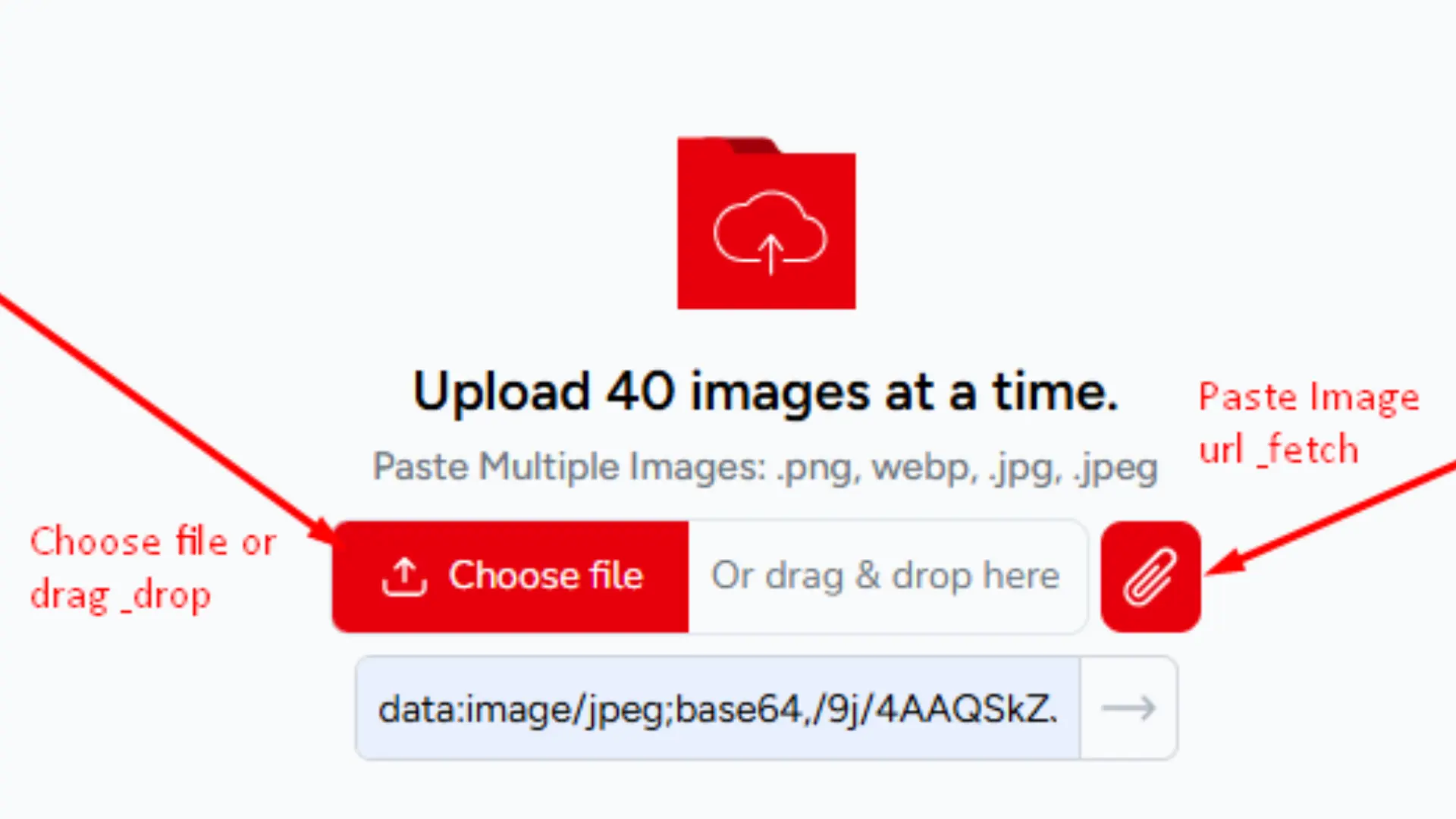
Upload up to 40 image files at once with a simple drag and drop or by browsing your device or camera roll. Our Image to Word Converter supports JPG, PNG, GIF, JFIF, HEIC, and WEBP formats, making it compatible with photos from any device or platform.
Instant Conversion Begins:
Our Image to Word Conversion engine gets to work immediately automatically reading, recognizing, and rebuilding your uploaded files into a clean, professionally formatted DOCX document within seconds.
Download Your .docx File:
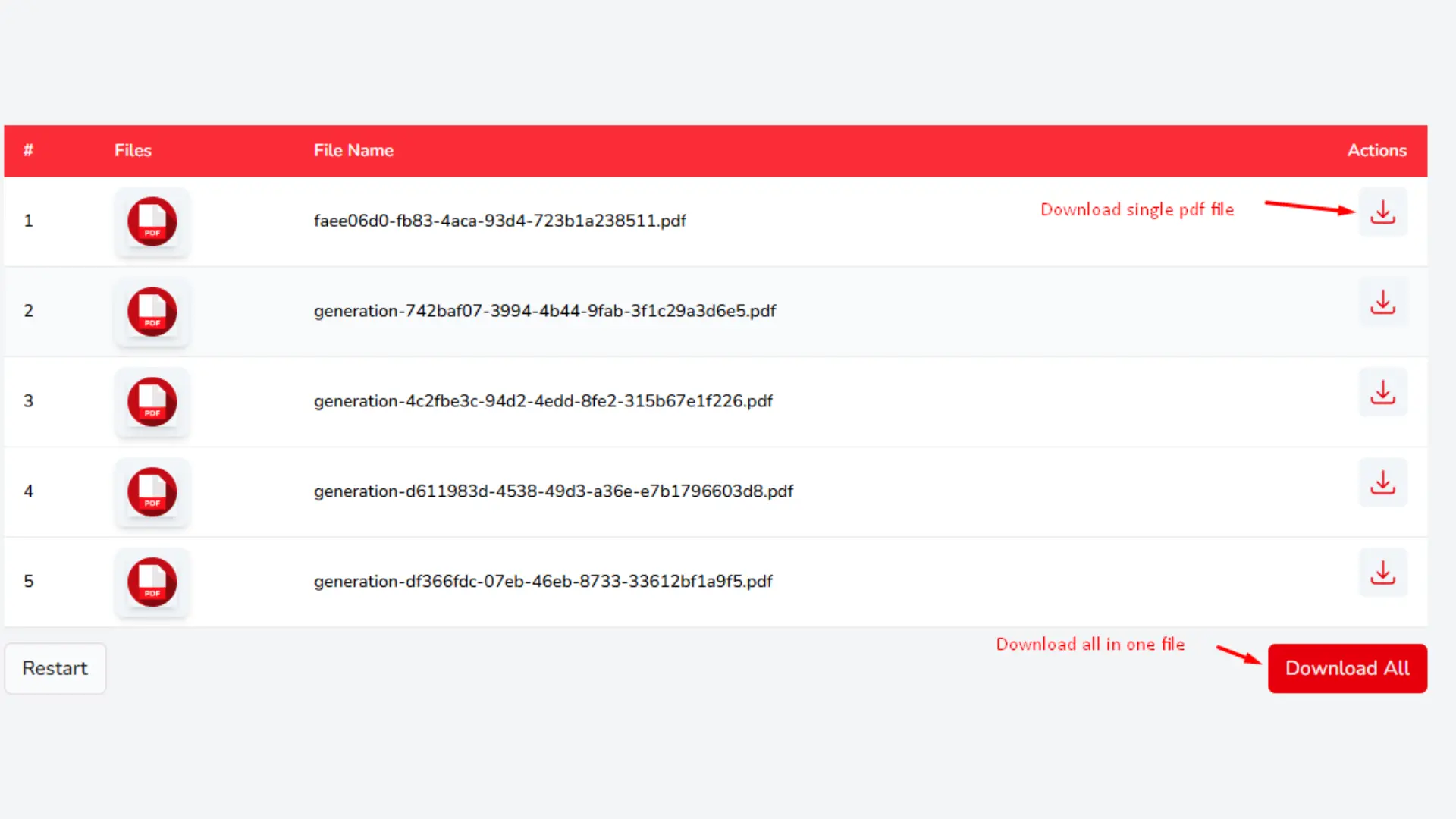
After the process is complete, you can check each converted file. Download the files you like. At the bottom of the tool section, a batch of files can be saved by clicking Download All. To download one file at a time, click the Download button that is marked with a Download icon.
Key Features of Our Image to Word Converter
Images carry important information & losing that information to an uneditable format is frustrating. Solutions Pedia built its Image to Word Converter to fix that problem for good. Here is what makes our Image to Word Conversion and Image to DOCX tool genuinely worth using:
Multiple Image Upload Options
Upload multiple images quickly using drag and drop or the Choose Files button. You can also paste an image URL directly into the converter, making the process faster and more flexible than ever.
Supports Various File Formats
Our Image to Word Converter Online Free tool goes beyond JPG supporting PNG, GIF, HEIC, WEBP, JFIF, and even scanned PDF files. Convert PDF Scanned Image to Word Online Free or merge multiple images into one clean, professionally formatted Word document without any formatting issues.
Preview Before You Convert
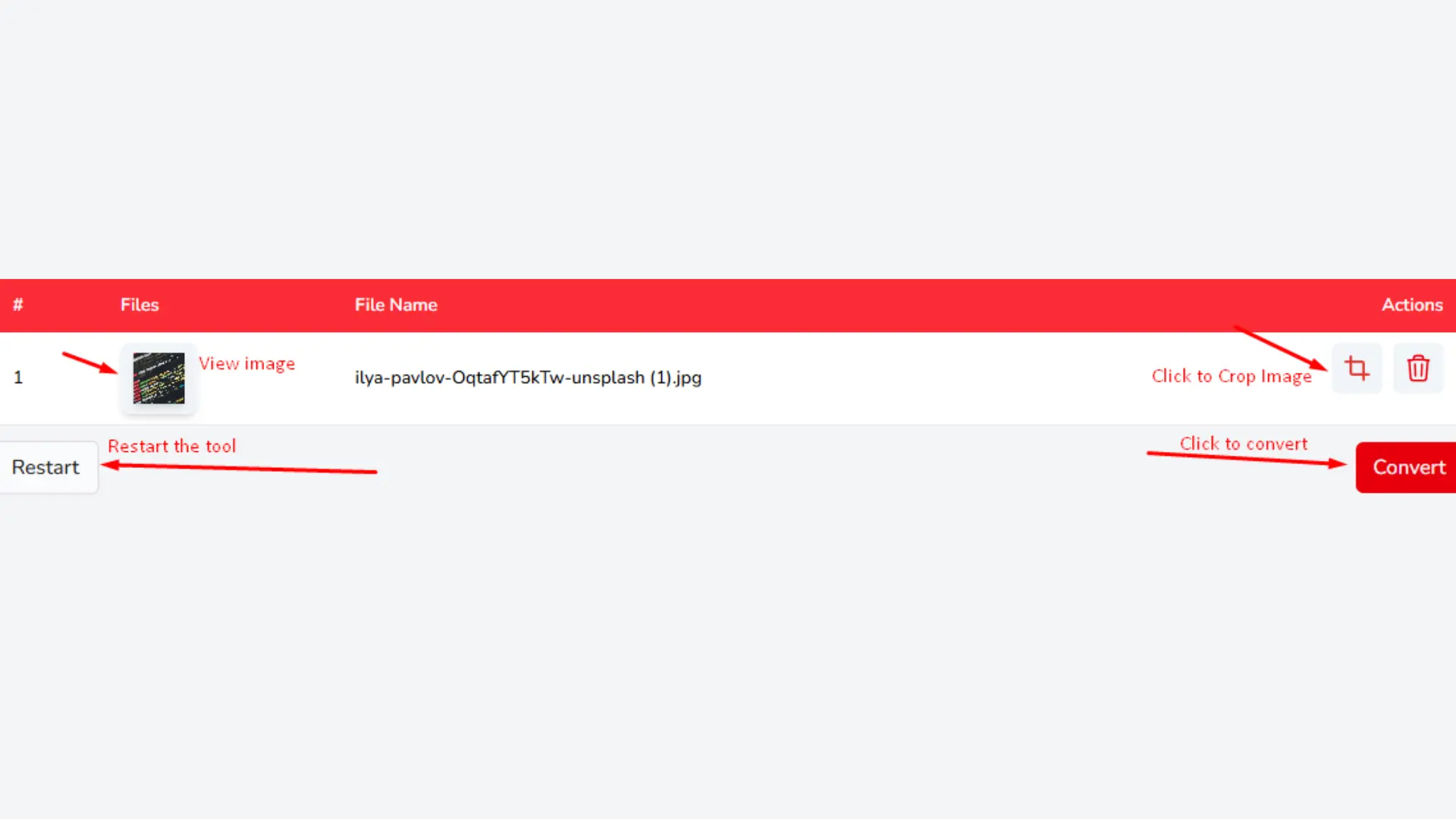
Preview Your Image Before converting any of your JPG's, you can click to view it to make sure everything is perfect. This helps you feel more confident in the process, especially when converting many images at once, ensuring they will be formatted and placed correctly in the final Word document.
Crop Images Before Conversion
Remove unwanted borders, backgrounds, or irrelevant sections before converting. Our built-in cropping tool gives you full control so your final Word document comes out clean and precise every single time.
Fast and Secure Conversion
Our Image to Word Converter works entirely in your browser. No files are uploaded to any server, and nothing is stored. Every conversion happens locally on your device at lightning-fast speed, so your privacy is protected by default, not just promised.
Flexible Download Options
Saving your files with our Image to Word Online Free tool is completely flexible. Download each file individually using the Download button, or hit Download All to automatically merge all converted images into one clean, unified Word document ready to use instantly.
Frequently Asked Questions (FAQ'S)
How to convert JPG to MS Word?
Converting a JPG to MS Word with our online software is very simple and takes only a millisecond. Just upload your JPG file using drag and drop or the Choose Files button. Our platform immediately starts processing your file and places your image into a clean, professionally formatted Word document automatically.
How to convert Image to Word document?
Converting any image to a Word document with our online platform is incredibly easy and fully free. Upload your image file in any supported format, including PNG, GIF, HEIC, WEBP, or JFIF, using drag and drop or the Choose Files button. You can even upload up to 40 images at once for batch processing. Once the process is completed, your images are automatically placed into a clean, professionally formatted Word document. Hit Download All to save all your files together in one unified DOCX file instantly, no sign-up and no installation required.
Admission Is Now a One-Way Ticket’: Kremlin Escalates Crackdown on Western Universities
Do I have to create an account to convert?
No account is needed at all. Our Image to Word Online Free platform is completely open to use without any registration or sign-up process. Visit the page, upload your image, and your Word document will be ready within seconds.
Are my files safe?
Of course. Your files are 100% secure with us. Our Image to Word Online Free tool is completely browser-based, which means your files stay entirely on your device. We do not upload, store, or share anything on an outside server, and we do not share anything anywhere. Your files will be removed from our system once the process is complete. We promise your files will be deleted. Your privacy is automatically protected.
How to Convert Image to Document in Phone?
1. Open the Tool: Visit Solutions Pedia Image to Word Converter in your mobile browser no app download or sign up required.
2. Upload Your Image: Tap to browse your camera roll or gallery and select any JPG, PNG, HEIC, or WEBP file you want to convert.
3. Convert Instantly: Images are processed automatically by our software in the browser no waiting and no uploads to our server.
4. Download Your Word Document: Click Download to save your DOCX file to your phone storage. It is fully editable and stored in seconds.
Why Convert Image to Word Document?
Converting an image into a Word document lets you edit, search, copy, and share your image content freely something no image format can offer on its own.
Why Choose Solutions Pedia for Image to Word Conversion?
Because converting images manually wastes time, our free tool converts any image into a fully editable Word document instantly with no software, no sign-up, and no cost involved.